
The pretest is a short, adaptive quiz that helps determine each student’s initial reading level. It ensures students start at the right difficulty by adjusting in real time based on their answers, making sure they receive reading passages that match their current skill level.
📑 Table of Contents
How Does The Pretest Work?
Every student is automatically given a pretest the first time they log into their account. Here's how it functions:
-
The pretest starts at a 3rd-grade level by default.
-
If the questions are too difficult, the system will move the student down to a lower level.
-
If the questions are too easy, the system will move the student up to a higher level.
-
The pretest is adaptive, meaning the number of questions varies based on the student’s responses.
-
Most students complete the pretest in 20 minutes or less.
-
Once completed, the student is assigned a grade-level score and begins receiving tailored reading practice based on that result.
- The pretest must be completed in one sitting. If the student logs out before finishing, they will need to start over the next time they log in.
⚠️ Important: Students should complete the pretest independently. Help from a teacher or parent may lead to inaccurate placement and misaligned quiz levels.
Where Can I Find The Pretest Scores?
Teachers can view pretest results from within their classroom dashboard:
-
Log into your teacher account and go to your Progress Reports page.
.svg)
-
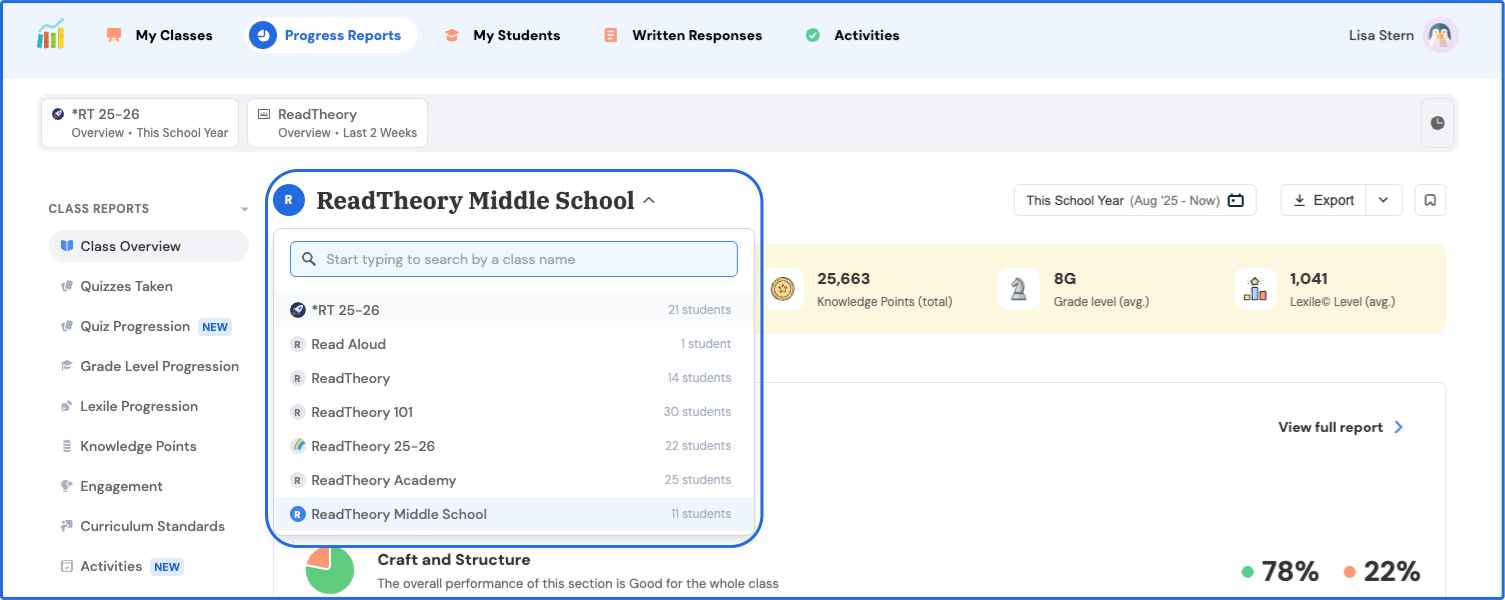
Choose the class you want to view using the dropdown menu.
-
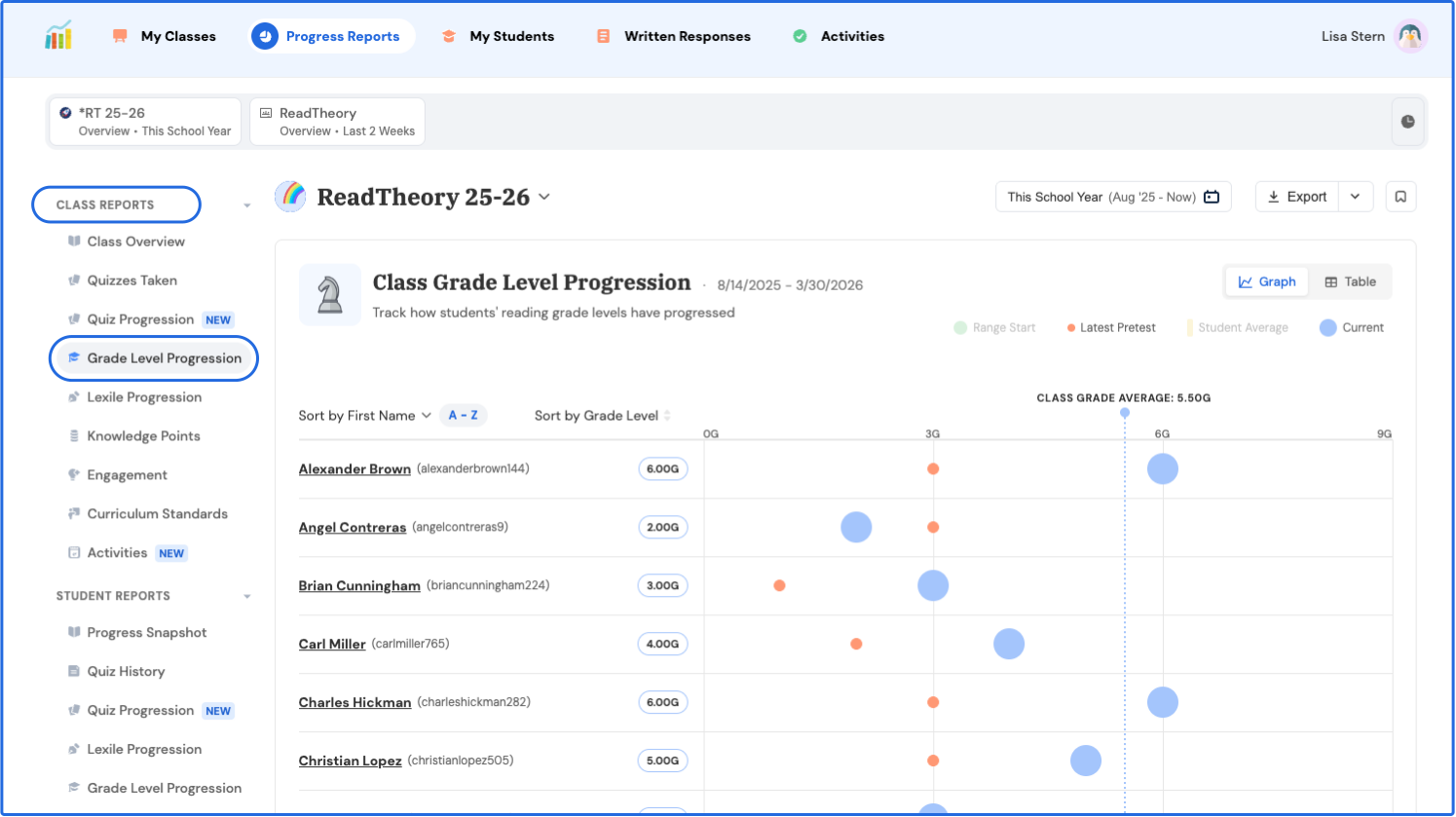
Under Class Reports, select Grade Level Progression.
-
Hover over a student’s data point to view their pretest score.
.svg)
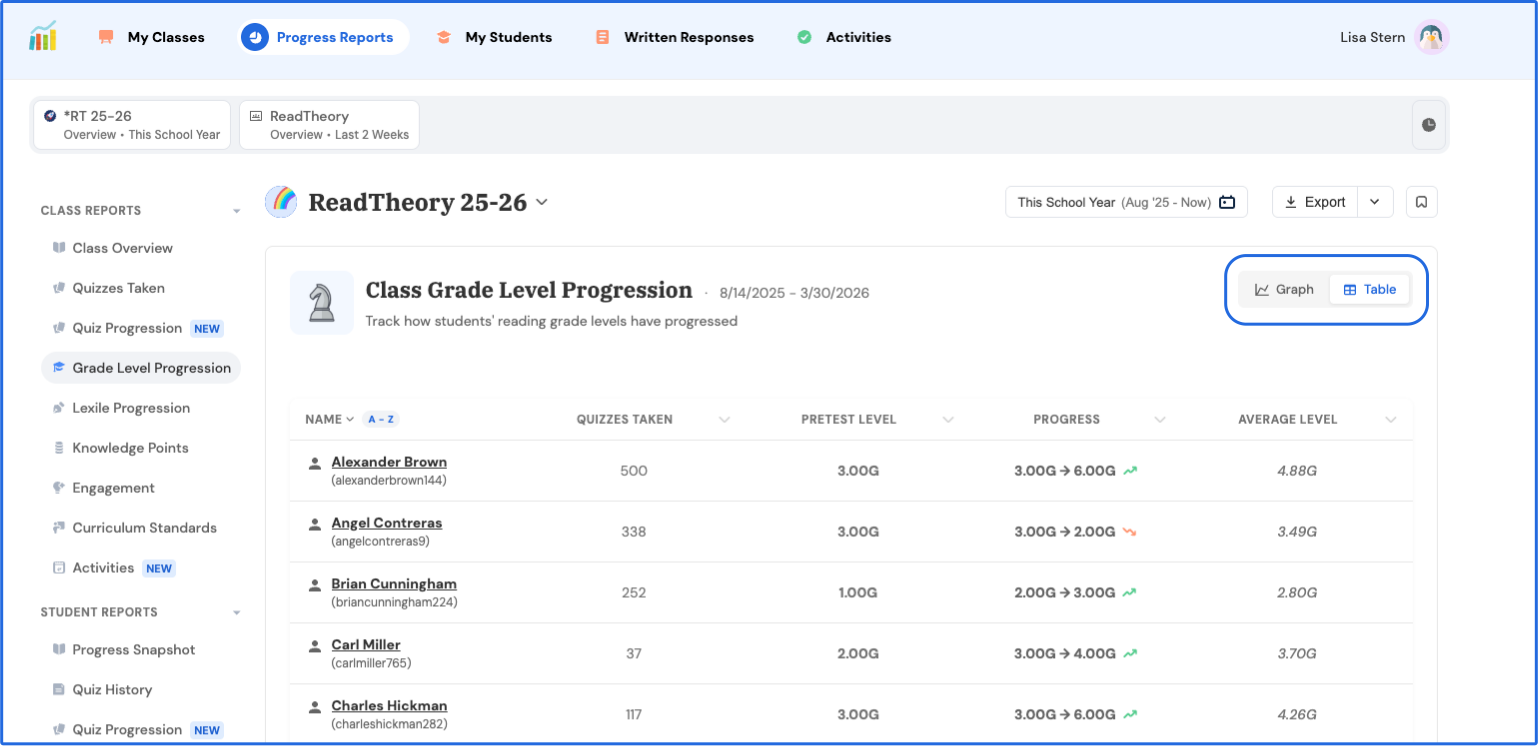
- You can also switch to Table View to see all students’ pretest scores at once.
-
For pretest Lexile scores, follow the same steps but select Lexile Progression under Class Reports.
⚠️ Note: Pretest scores will not appear until a student has completed at least one additional quiz after finishing the pretest.
Related Articles & Resources
Creating Classrooms and Student Accounts
How to Create a Student Account
Connect, Grow, and Inspire: Explore ReadTheory’s Educator Communities!
Have questions? We’re here to help. Reach out anytime at support@readtheory.org.