
Learn how to navigate to Progress Reports and view class and individual student data.
📑 Table of Contents
- Viewing Student Progress
- Other ways to view Student Progress/Data
- Where can I learn more about each report?
Viewing Student Progress
How do I access the Progress Reports dashboard and student data?
- Sign in to your ReadTheory account.
- Select Progress Reports at the top of the page.

On the left, you'll see two sections: Class Reports and Student Reports. 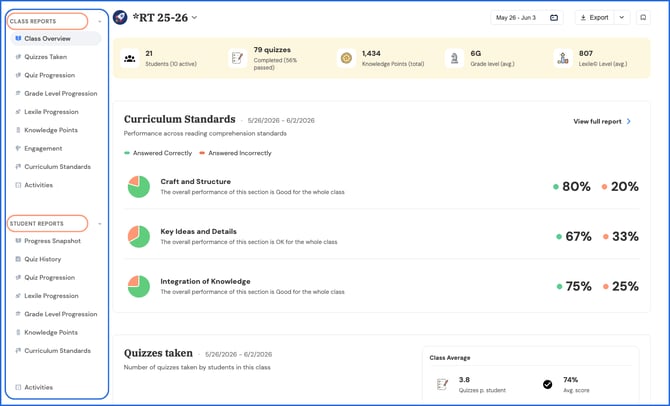
- Class Reports display data for a selected class of students.
- Student Reports allow you to view data for an individual selected student.
Class Reports
Class Reports display data for a selected class of students.
What class reports are available?
Class reports include: Class Overview, Quizzes Taken, Quiz Progression (Premium), Lexile Progression, Knowledge Points, Engagement (Premium), Curriculum Standards (Premium), and Activities.
To view a class report:
- Select a class report from the left-hand menu.
.png?width=670&height=406&name=class%20reports%20and%20student%20reports%20(2).png)
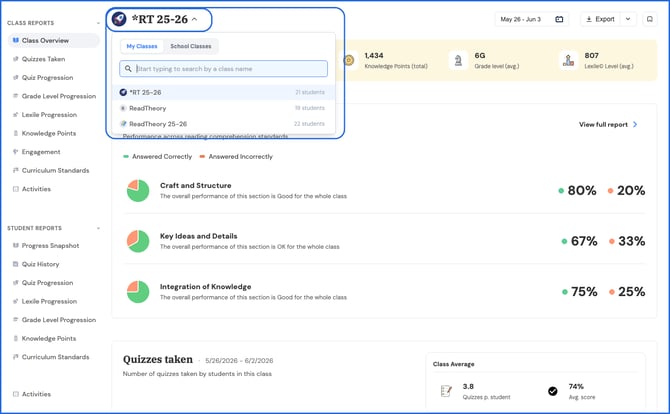
- Use the class dropdown at the top of the screen to choose which class to view.
- Adjust the date range on the left side of the screen to your preferred timeframe.
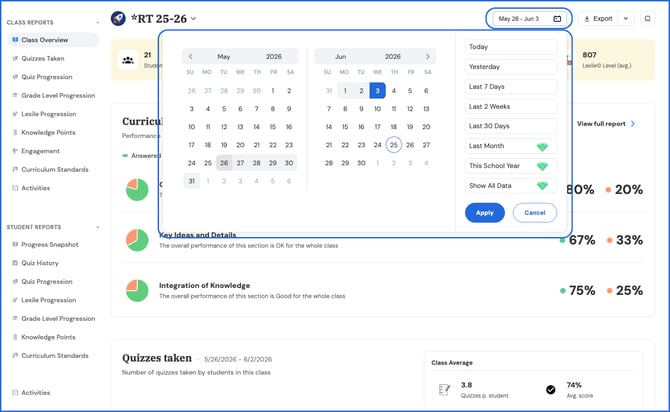
💎 Premium users have access to all historical data. Free users have access to data from the last 30 days.
Student Reports
Student Reports allow you to view data for an individual selected student.
What student reports are available?
Student reports include: Progress Snapshot (Premium), Quiz History, Quiz Progression (Premium), Lexile Progression, Grade Level Progression, Knowledge Points, Curriculum Standards (Premium), and Activities.
To view a student report:
- Select a student report from the left-hand menu.
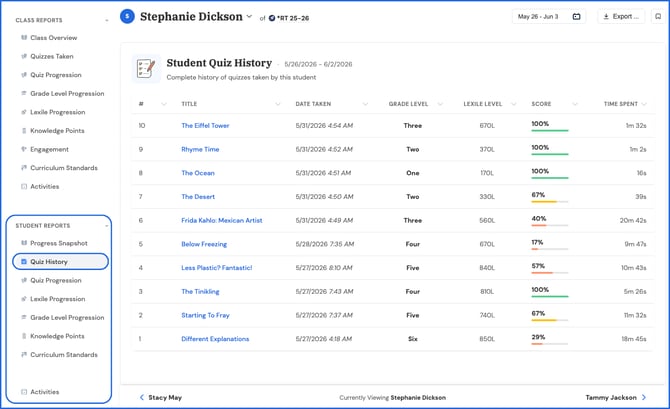
- Use the student dropdown at the top of the page to choose which student to view.
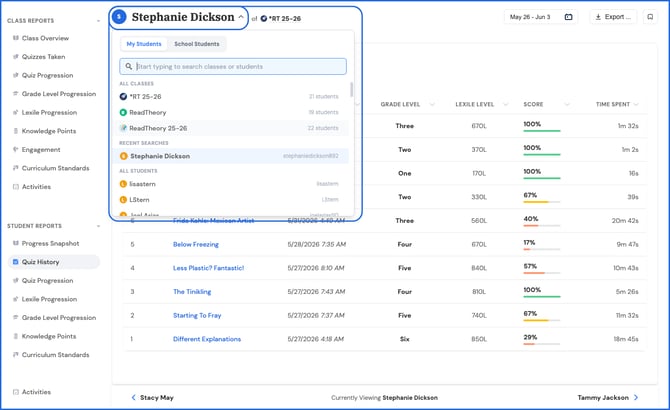
- Adjust the date range on the left side of the screen to your preferred timeframe.
.png?width=670&height=413&name=date%20range%20individual%20report%20(1).png)
Is there another way to access progress data?
Yes, there are two shortcuts for quickly pulling up progress data without going through the Progress Reports section.
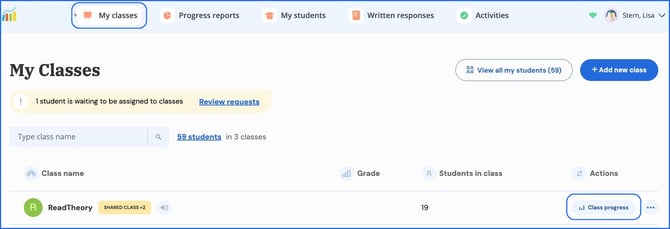
- Class progress: Go to My Classes and select Class Progress next to the class you'd like to view.
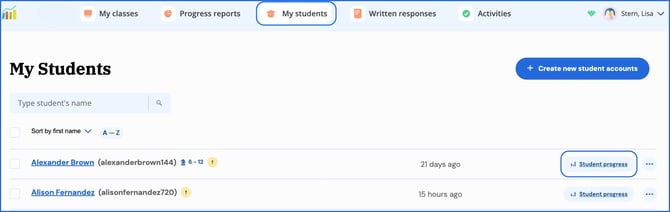
- Individual student progress: Go to My Students and select Student Progress next to the student you'd like to view.
📌 Tip: If a student’s data is missing, confirm they’ve completed the pretest and one quiz, are connected to your class, and aren’t using a duplicate account.
Where can I learn more about each report?
For a deep dive into what each report shows and how to use it, visit our Reporting & Benchmarks section within the Knowledge Base.
Related Articles & Resources
Creating Classrooms and Student Accounts
Have questions? We’re here to help. Reach out anytime at support@readtheory.org