
Students can easily link their ReadTheory accounts to their teacher’s class using either a class code or the teacher’s email address. Once connected, teachers can assign activities, monitor progress, and view quiz performance.
📑 Table of Contents
How to Connect
Students can follow these simple steps to connect to their teacher's class:
1. Log in to your ReadTheory student account.
2. Click your username in the top-right corner.
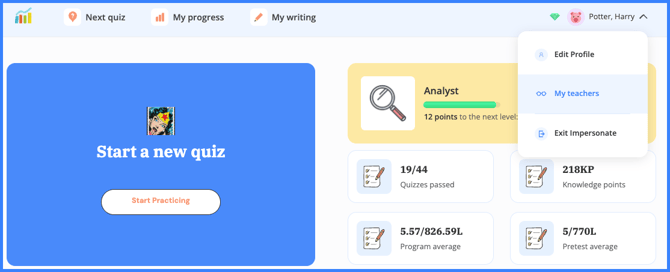
3. Select "My Teachers" from the dropdown menu.
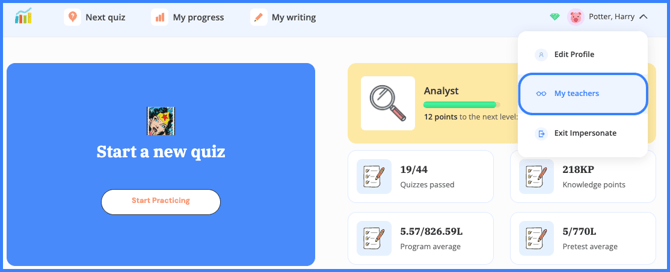
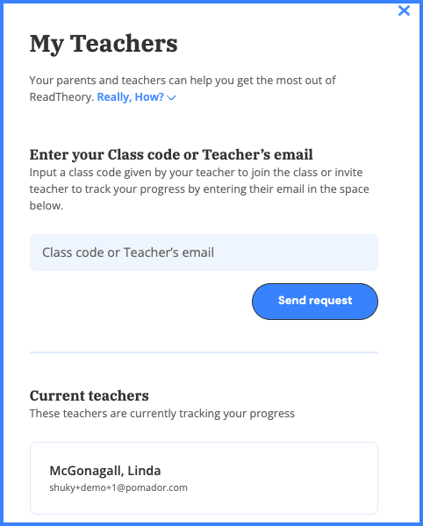
4. On the "My Teachers" page, enter either your teacher’s email or the Class Code they provided.
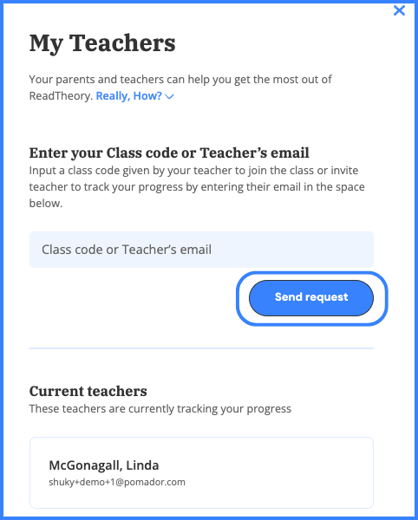
5. Click "Send Request."
📝 Where can I find the Class Code?
Your teacher can find it under the class name on their "My Classes" page. Make sure to get the exact code!
Important Notes
-
Class Codes are used only once to join a class.
-
Students and teachers must each log in to ensure the connection is confirmed.
-
If you don’t see your teacher listed, double-check the email or class code and try again.
🎥 Still unsure? Watch our quick video tutorial—it takes less than 1 minute!
Related Articles & Resources
How to Create a Student Account
How to Create a Teacher Account
Creating Classrooms and Student Accounts
How to Edit Your Account Information
Have questions? We’re here to help. Reach out anytime at support@readtheory.org.