
Table of Contents
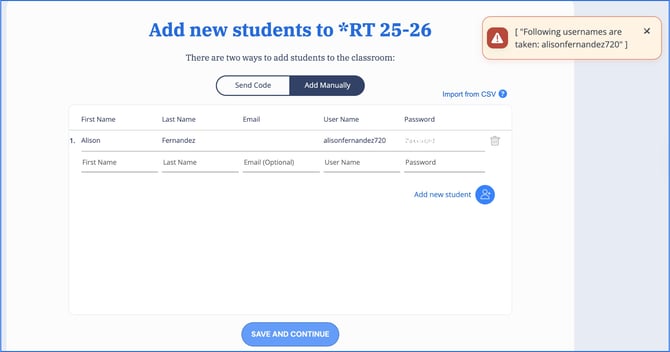
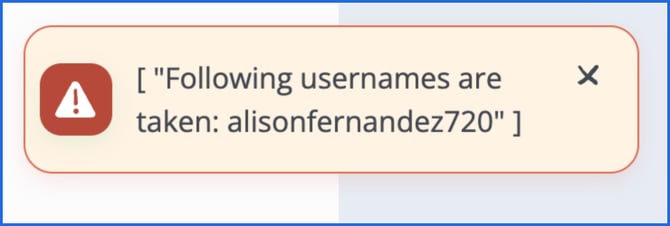
Because the account already exists, the student can not be added by creating a new account through the Add Students page.
Why Am I Seeing This Error?
This error occurs when:
- A student already has an existing ReadTheory account, typically with an email address.
- The username you entered is already associated with another ReadTheory account.
In most cases, the student should join your class using their existing account rather than creating a new one.
How to Add a Student Who Already Has an Account
Instead of creating a new account, have the student join your class using your class code.
Your class code can be found directly underneath the class name on your teacher dashboard.

Student Instructions
- Sign in to their existing ReadTheory account and select their name in the upper-right corner of the screen.
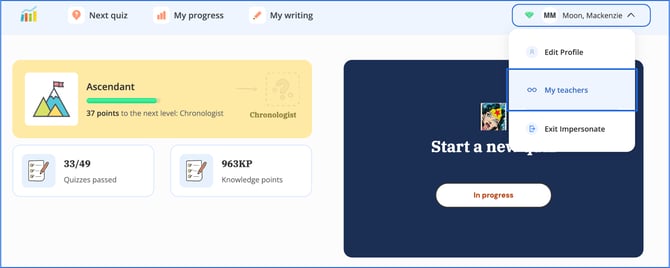
- Select My Teachers.
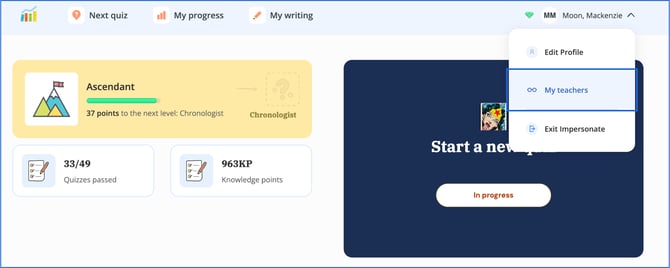
- Enter the class code provided by the teacher and select Join.
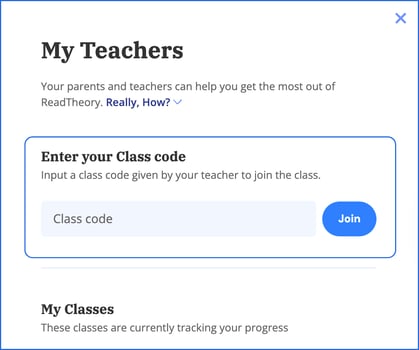
Once completed, the student will be connected to your class, and all existing progress will remain intact.
What If the Username Is Already Taken?
ReadTheory usernames must be unique.
If you are creating a brand-new account and receive this error, try modifying the username by adding a number, middle initial, or another identifier.
Need Additional Help?
If you're unable to determine whether a student already has an account or continue experiencing issues, please contact ReadTheory Support at support@readtheory.org for assistance.