
Table of Contents
- Removing an Individual Student
- Removing Multiple Students
- Removing a Class
- Permanently Deleting Student Accounts/Classes
Removing a student from your account will sever your connection to that student and remove them from all of your classes.
However, this action does not permanently delete the student's ReadTheory account, reading history, or progress connected to the account. If a student needs to be permanently deleted, please see the instructions at the end of this article.
Removing an Individual Student
To remove/stop tracking a single student:
- Navigate to the My Classes page.

- Locate the student you would like to remove and select the three dots next to the student's name.
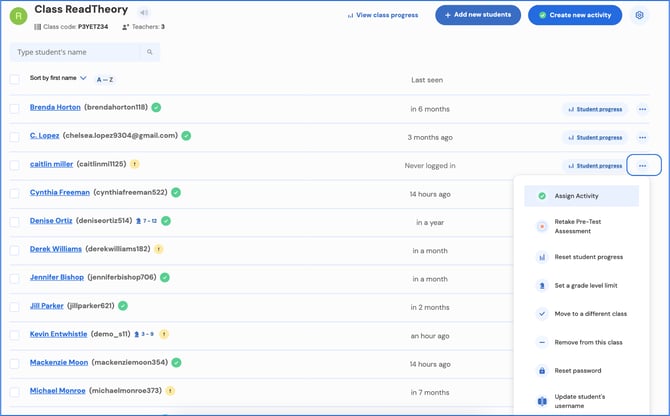
- Select Remove from this class.
.png?width=670&height=417&name=select%20remove%20from%20class%20(1).png)
- Select Yes to confirm.
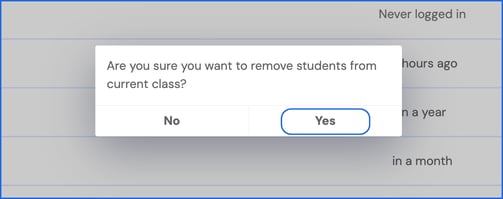
The student will be removed from all of your classes, and your connection to that student will be severed.
Removing Multiple Students
To remove/stop tracking multiple students at once:
- Navigate to the My Classes page.
- Select the checkboxes next to each student you would like to remove.
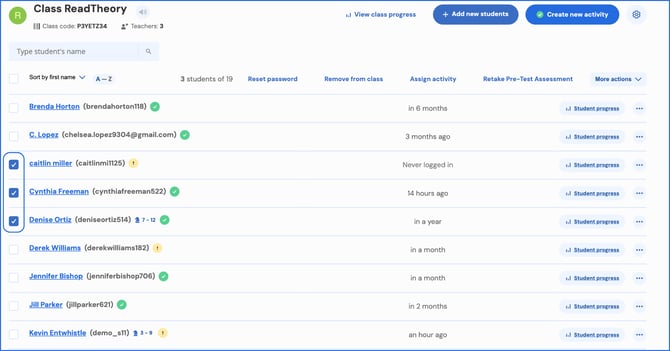
- Select Remove from class at the top of the page.
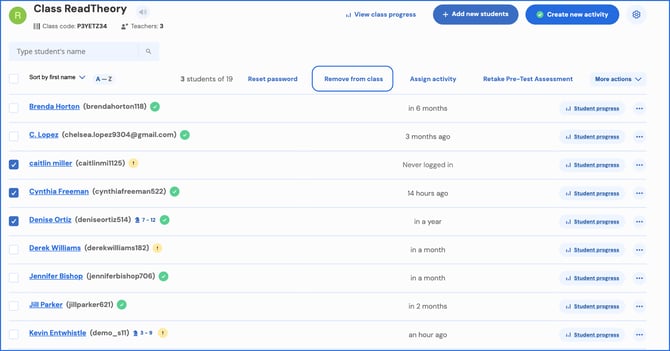
- Select Yes to confirm.
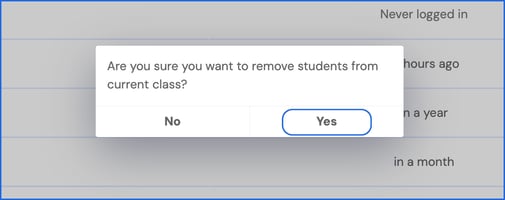
All selected students will be removed from your classes, and your connection to them will be severed.
Removing a Class
Deleting a class removes it from your teacher dashboard and severs your connection to the students within that class. Deleting a class does not delete student accounts or student progress connected to the student account.
To Remove a Class:
- Navigate to the My Classes page.
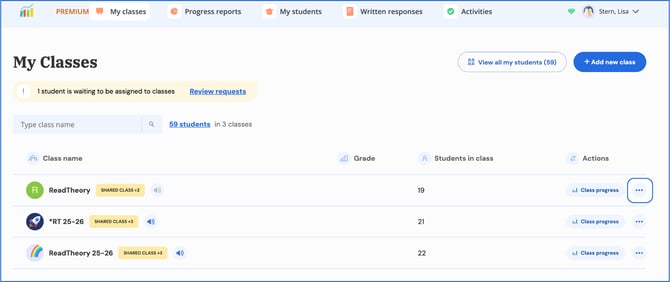
- Select the three dots next to the class you would like to delete.
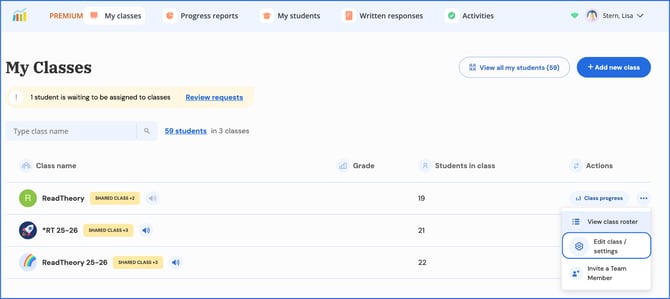
- Select Edit Class / Settings.
- In the settings panel, scroll to the bottom, and select Delete Class.
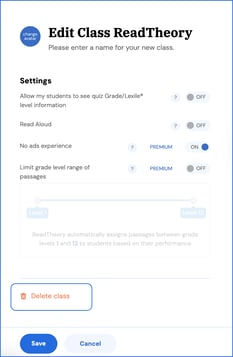
- Select Delete Class to confirm.
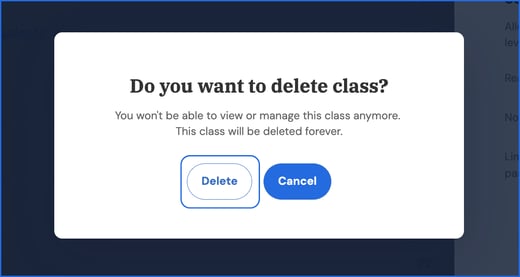
The class will be removed from your account.
⚠️Important: Removing a Student Does Not Delete Their Account
Removing a student from your account will sever your connection to that student and remove them from all of your classes.
However, this action does not permanently delete the student's ReadTheory account, reading history, or progress.
If a student needs to be permanently deleted, please see the instructions at the end of this article.
Permanently Deleting Student Accounts and/or Classes
If you need a student account permanently deleted, please email support@readtheory.org and include:
- Student username(s)
- Student email address(es), if available
If you need assistance with the bulk deletion of classes or the permanent removal of multiple student accounts, please contact support@readtheory.org for assistance.